
Begin
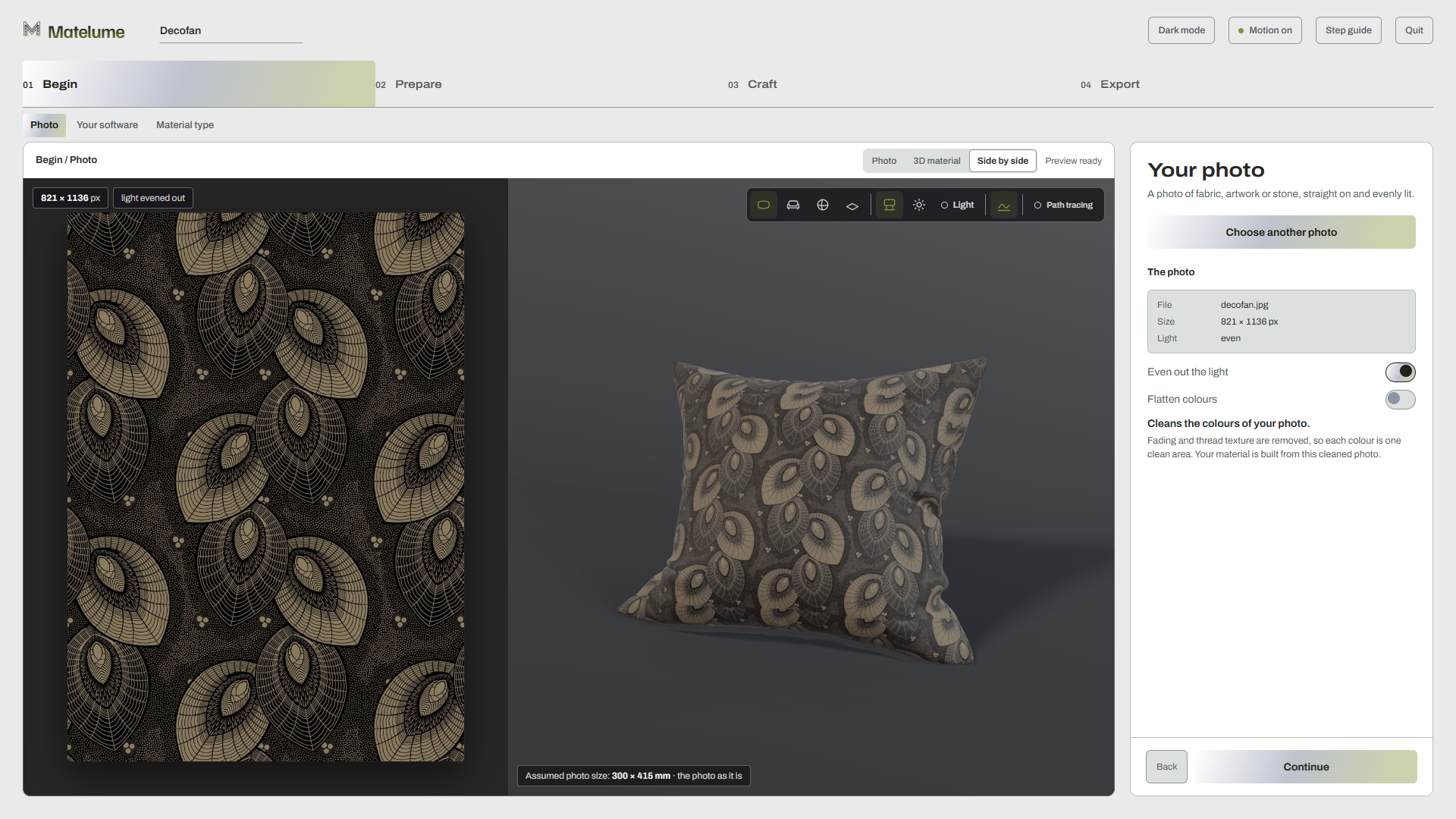
Choose the photo and its destination. Even out the light, choose your software and material family. For fabric, Flatten colours cleans the design before later steps.
 Sign inFree trial
 Start with a photo of fabric, marble or artwork. Set its real size, shape its surface, and take the finished material or framed artwork into your 3D scene. Processing stays on your Windows PC.
Five days. Account and internet connection required.
For architects, interior designers and visualization artists.

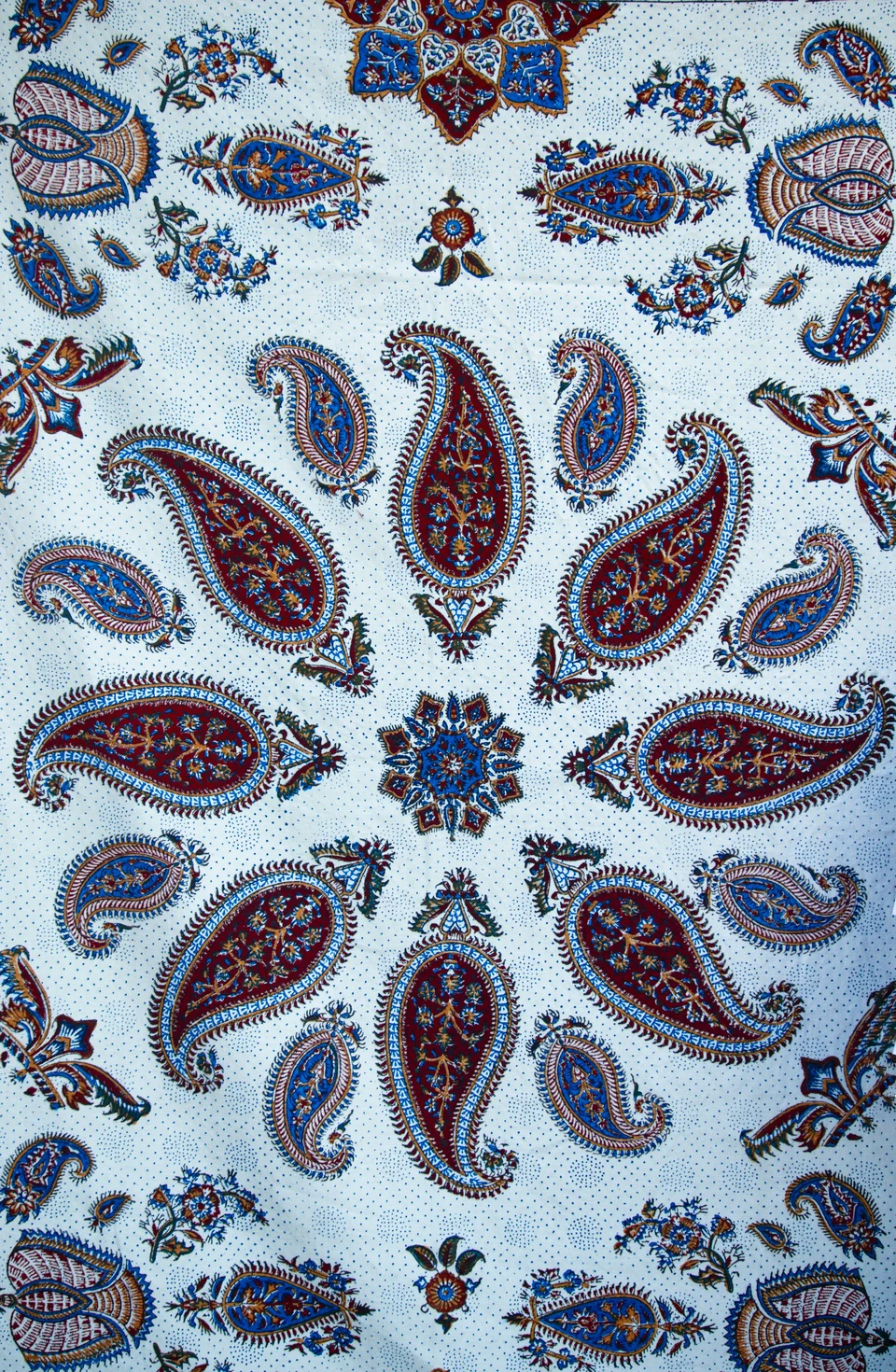
Photo: Sina Bahar / Unsplash. Material and render: Matelume.
Light evened, upscaled once with AI and mapped once. Different views of the same design; no seamless step was needed for this cushion.
Matelume builds each thread and its relief into the maps. These are those maps in Blender Cycles, with displacement. No generated beauty images.


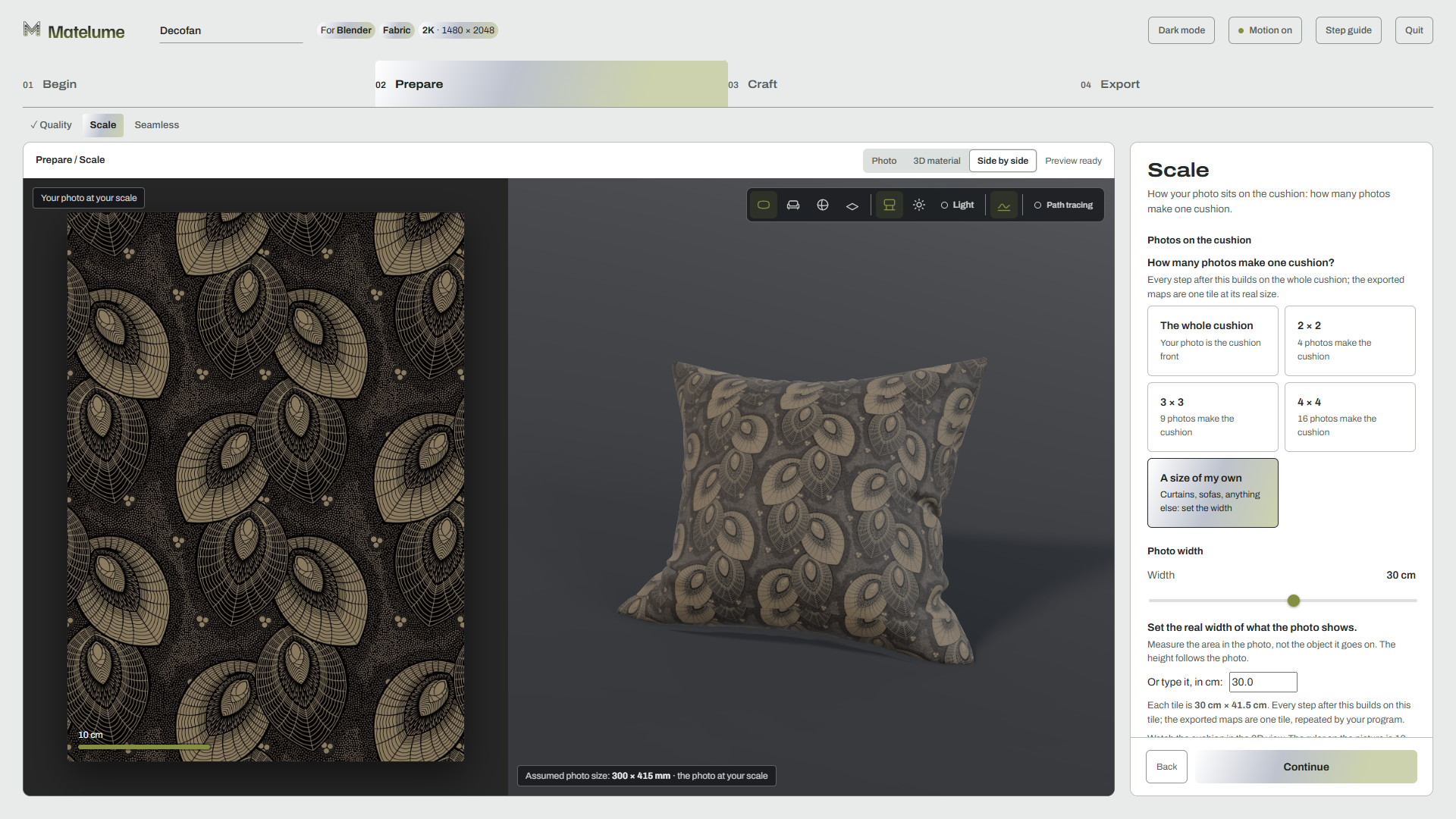
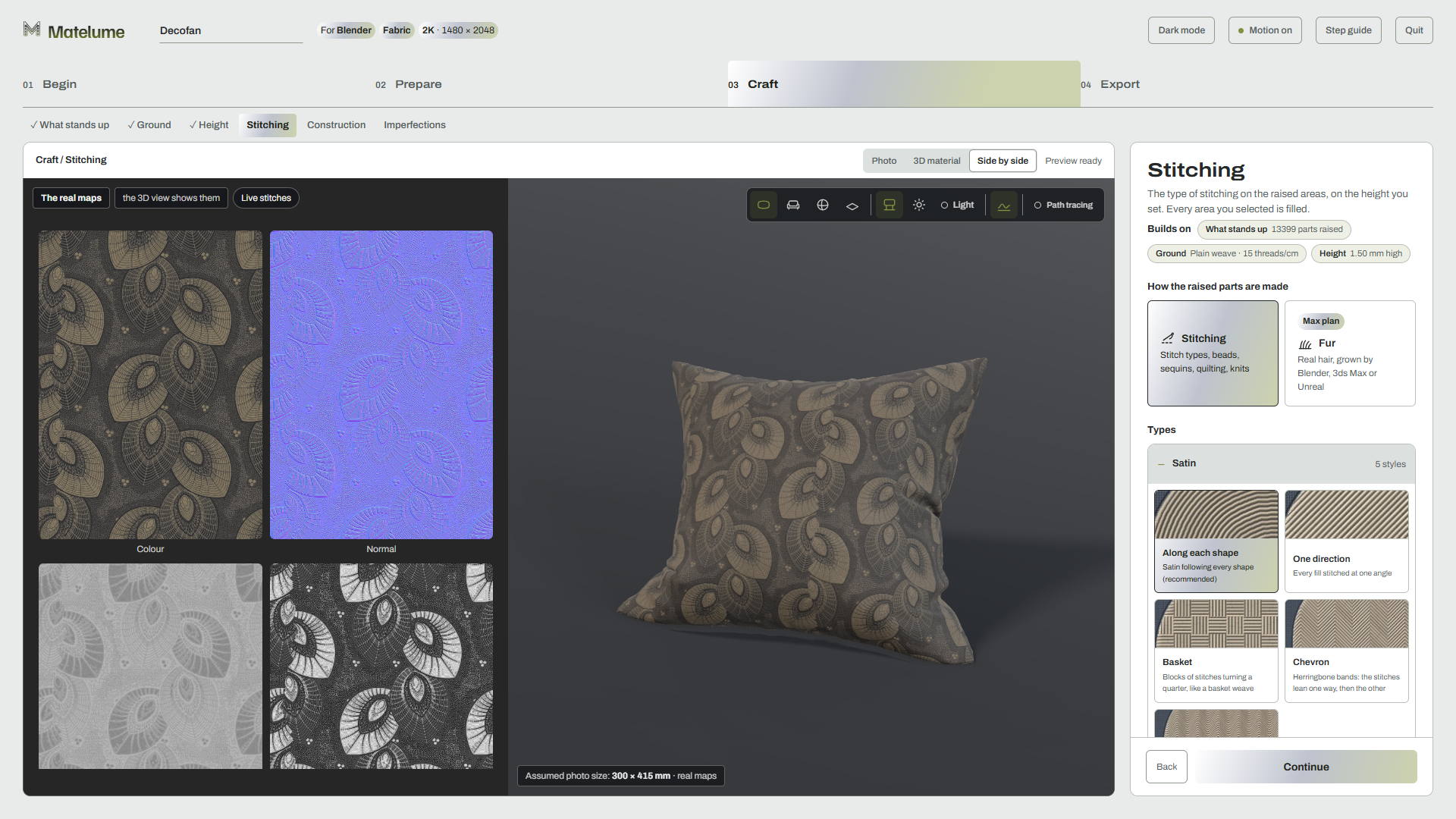
Begin, Prepare, Craft and Export: each step builds on the last. These are the current Studio screens, working on the deco-fan embroidery. Wall art and marble share the setup, then follow their own surface controls.
Choose the photo and its destination. Even out the light, choose your software and material family. For fabric, Flatten colours cleans the design before later steps.
Set quality, scale and the repeat. Choose 2K to 8K. Set how many photos fit a cushion, or enter your own width, then inspect the seamless join.
Build the surface one choice at a time. Pick raised parts, set the ground weave and height, then add stitches, construction and imperfections. The 3D view follows your changes.
Save the result at its real size. Export the maps your selected programs need. Add setup scripts, previews, a repeat check and a ZIP with Package it.
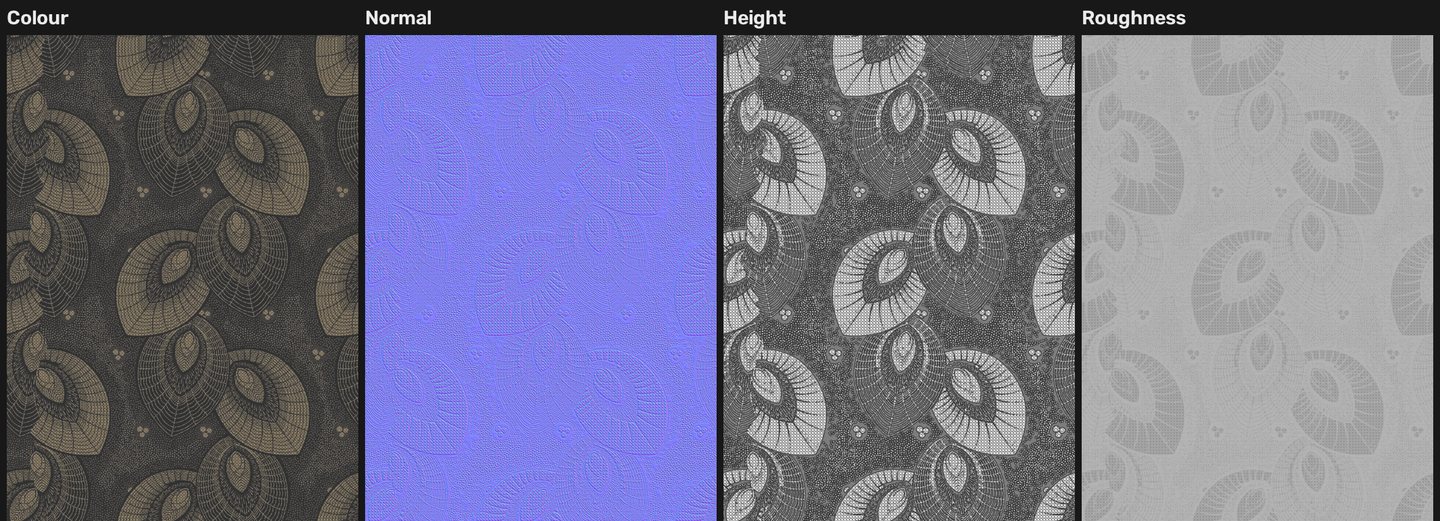
Three real Matelume material studies on one cushion.
Load the 3D preview, then move the light.
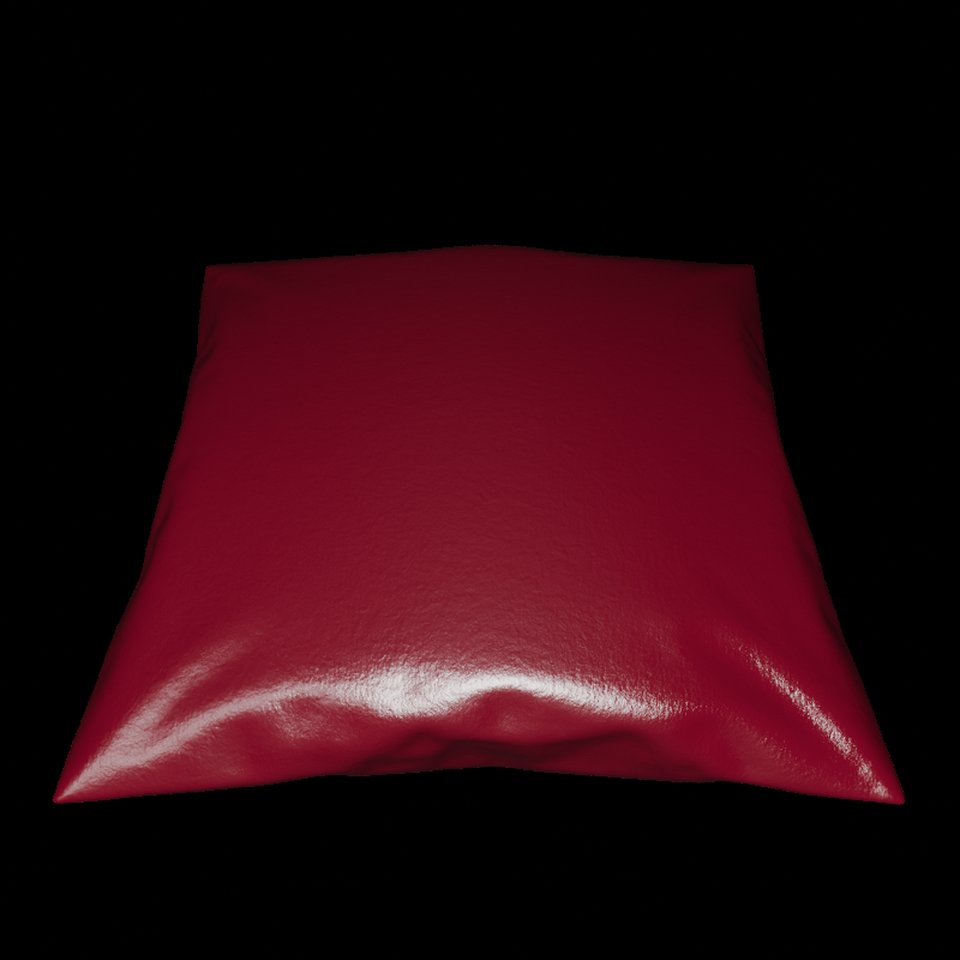
Loads the local 3D model and material maps.
Select “Explore in 3D” to begin.
Drag to turn. Arrow keys also turn the cushion.
1K preview maps. Normal and roughness shading; no displacement or anisotropy extras. Compare with the Cycles renders above.
Fabric and marble become real-size material maps. Wall art becomes a framed 3D asset. Your photo is the starting point for each.
Fabric
Choose the ground weave, raised parts, height and stitching. Add velvet, chenille, silk, suede or cotton, then subtle signs of use.
Construction and imperfections are included in the export. Max fur features are Coming soon and are not included.
Explore the fabric workflowWall art
Prepare a painting, canvas print or paper print. Shape the paint or gel, select metallic colours, then add a frame, mat and glass.
Export a real-size 3D asset with its artwork, frame textures and chosen imperfections.
Explore the wall-art workflowMarble
Keep the slab whole or make a repeat with vein repair. Add small surface relief, a separate vein finish and the overall polish.
Export the finished maps and vein mask, including the imperfections you selected.
Explore the marble workflowChoose your destination in Begin. Matelume exports the maps that program needs, with real-size information and setup notes.
Matelume add-on
Set up at real size and receive exports with Send to.V-Ray and Corona
The Matelume plugin sets up the material and receives Send to exports.Material maps
The maps work in Unreal. No Matelume add-on has been tested there yet.Material maps
Use the exported maps in your material editor. Direct Send to is for Blender and 3ds Max.Other programs can use the standard PBR maps where their material system supports them. Blender and 3ds Max are the tested integrations. See the export and setup details.
Construction and imperfections are included. Fabric maps contain one tile at its real size, even when you worked on a whole cushion of repeated tiles.
Read the export guideMatelume is a Windows desktop app. Its Studio opens in your browser at 127.0.0.1, while your photos and material processing stay on your own PC.
64-bit Windows. 16 GB RAM recommended. Allow about 4.5 GB for the program, plus room for materials.
Matelume uses the graphics card when available and all processor cores. NVIDIA graphics recommended. CPU-only operation passed a 2K test.
Your photos and material processing stay on your PC. This website has no photo-upload form.
All account and licence checks require an ongoing internet connection. Trial access also requires an account and internet. Learn about the Studio's 3D preview.
Every new account gets a five-day free trial, starting when the first PC is linked. An ongoing internet connection is required. Every Pro feature except Max is included, with exports capped at 2K and a faint watermark on the Color map only. Subscription prices below are in USD.
First release / first 50 buyers
$50 / year
Every Pro feature and update while active. Keep this rate while you keep renewing. Yearly billing only.
View Founder offerFirst 50 buyers. Keep the rate while renewing.Subscription
$15 / month
Month-to-month pricing. Or $150 per year, two months free compared with monthly.
Release availability pendingFor teams
/ year
per seat, seats
Add seats any time, for the rest of your year. Remove seats at renewal. More than 50 seats: contact us.
Ask about Studio invoicingRelease availability pendingEducation: $50 / year. Eligibility details to be announced.
All prices are in USD. Every plan is a subscription. All Matelume access requires an account and an ongoing internet connection. Max is Coming soon and is not included. Paddle checkout opens in a few days; applicable taxes and the final total will be shown before payment.
Start with a straight-on, evenly lit photo of fabric, artwork or marble. The image and its lighting affect the result, so inspect the repeat and surface preview. Matelume cannot guarantee a perfect material from every photo. Flooring, Wall paint and Wall panel are Coming soon. See the Coming soon list.
No. For fabric, choose a 40, 45, 50 or 60 cm cushion and fit the photo once, 2 × 2, 3 × 3 or 4 × 4, or enter a width of your own. Marble uses its slab scale; wall art uses its real width. These are sizes you supply, not measurements recovered from the photo.
Yes, for personal or commercial design work while your subscription is active. Exported materials remain yours to keep. You need the rights to your source photos and designs. Read the Software licence.
Windows 10 or 11, 64-bit. The public trial is planned for this week. Recommended RAM: 16 GB. Allow about 4.5 GB for the program, plus room for materials. NVIDIA is recommended, with a 4 GB graphics card as the target; this is not a validated minimum. Timings vary with the graphics card. So far, measurements are from an RTX 5090 laptop, with slower cards being tested. Read the PC notes.
Sign in inside Matelume, then confirm the code and PC name on the browser page. You may link up to two PCs, with one running at a time. Manage them from My account. Buying a plan unlocks the same app.
Every user needs a Matelume account and an ongoing internet connection, including trial, paid and reviewer access. Your photos and material processing stay on your PC. The five-day trial requires an account and internet connection. This website has no photo-upload form. Read the Privacy Policy.
The planned personal-account policy allows two activated PCs, with one running at a time. When you open the second PC, you can choose to switch. The first PC finishes its current job within the finishing allowance before handing over. Customer PC replacements are limited to one per 30 days. Account integration is still being prepared for release.
Fabric and marble export the maps needed by your selected programs, with real-size information and setup notes. This can include OpenGL or DirectX normal maps, or both when needed. Marble also includes its vein mask. Wall art exports a GLB and optional FBX with materials and textures. See what each export contains.
This website has a lightweight 1K preview using normal and roughness maps, without geometric displacement, sheen maps or anisotropy extras. The gallery shows Blender Cycles renders. The desktop Studio has its own real-size 3D view with optional path tracing and an AI denoiser. Lighting, geometry and renderer settings affect appearance.
Every new Matelume account receives a 5-day trial of the full version, starting when the first PC is linked. Exports are capped at 2K, with a faint “Matelume · trial” watermark on the Color map only. Max features, including fur, are Coming soon. When the trial ends, building and exporting pause until you buy a plan. Your work stays, and the app stays installed. The trial does not start a paid subscription. Founder includes every Pro feature and update while active. Max is Coming soon. Read the Refund Policy. Trial download is coming soon; paid checkout opens in a few days.
The free trial is being prepared for release: five days with a Matelume account and an ongoing internet connection, every Pro feature except Max, and exports up to 2K with a faint watermark on the Color map only.
Explore the free trialThe download is being prepared. It is not available yet. Trial information.
Early members get a direct say in what we build next. Founder licences open in a few days: $50 a year for the first 50 buyers. Max is Coming soon and is not included.
All Matelume access requires an account and an ongoing internet connection. Read the Terms & Conditions, Refund Policy and Support.
Matelume is supplied by Abdelrahman Osama Mohammed Ibrahim. Contact: support@matelume.com.